See the product

Every screen, and what you do there.

Real screens from the example account, in the order the product’s own menu keeps them. Alder & Stone Kitchens is a made-up business; nothing here is a real result.

Watching the money

Where the month stands, at any hour.

Spend against budget on every platform, results against the goal, and every number with its source named.
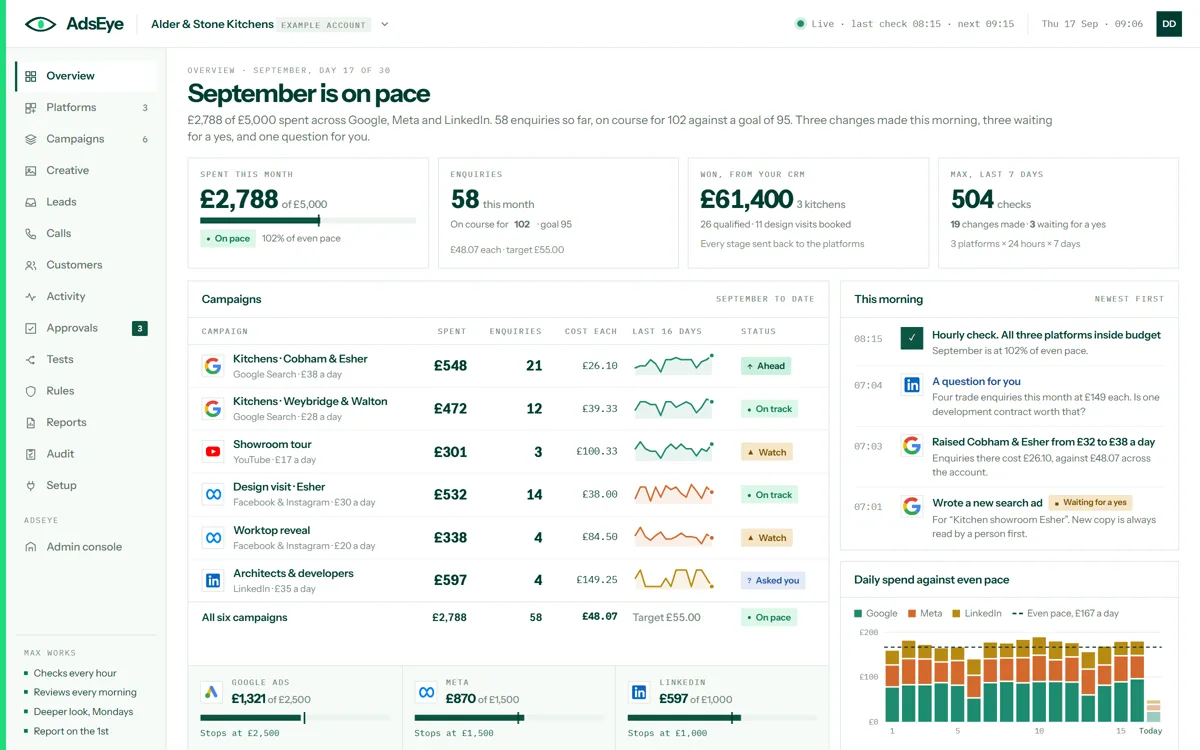
The overview screen: spend against budget, enquiries against the goal, what the CRM says was won, this morning’s changes and daily spend against even pace
OverviewThe month in one screen: spent against budget, enquiries against the goal, what your CRM says was won, and what Max did this morning. You read it and get on with your day; the last check and the next are in the top bar.
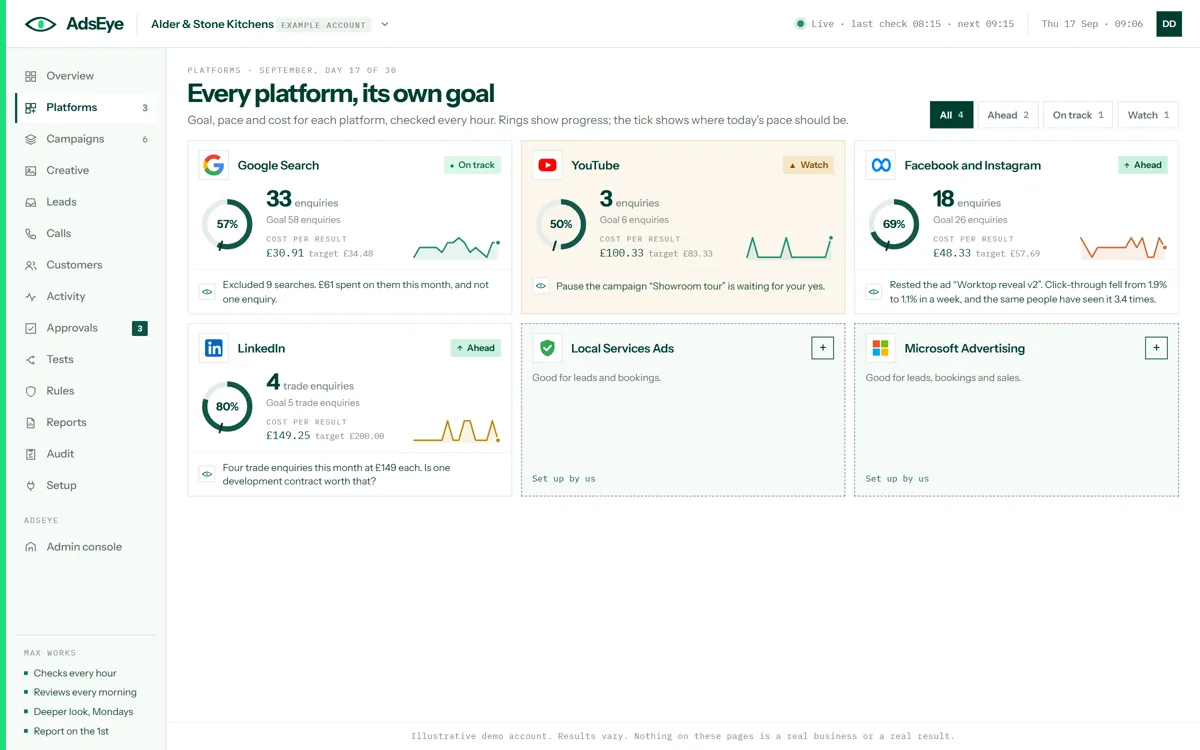
The platforms screen: Google Ads, Meta and LinkedIn with their spend, enquiries and campaigns, and the eight more platforms that can be added
PlatformsEvery account Max reads, with its spend, its enquiries and its campaigns, and the platforms still to add. You open one to see how it is set up and what Max may change on it.
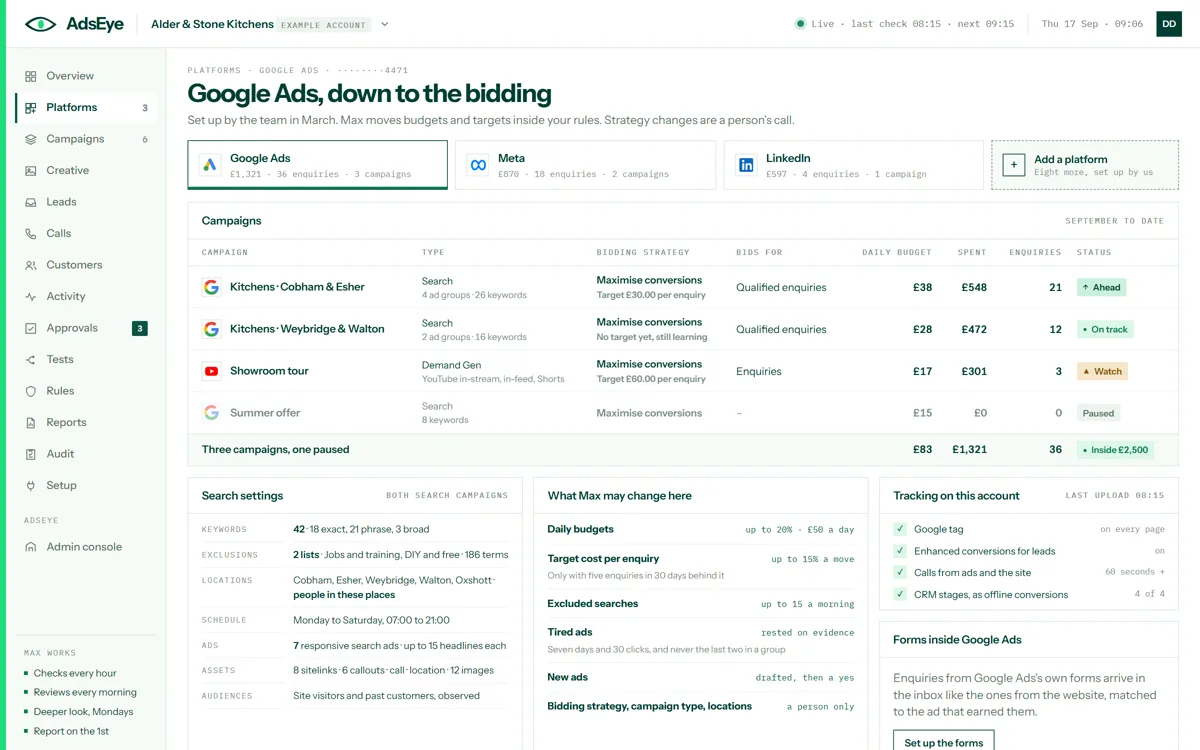
The Google Ads platform screen: campaigns with bidding strategy, budget and enquiries, the search settings, what Max may change, and tracking on the account
One platform, down to the biddingCampaign by campaign: how each bids, what it bids for, its daily budget and what it has brought. The search settings, what Max may change here and the tracking on the account sit beside them.
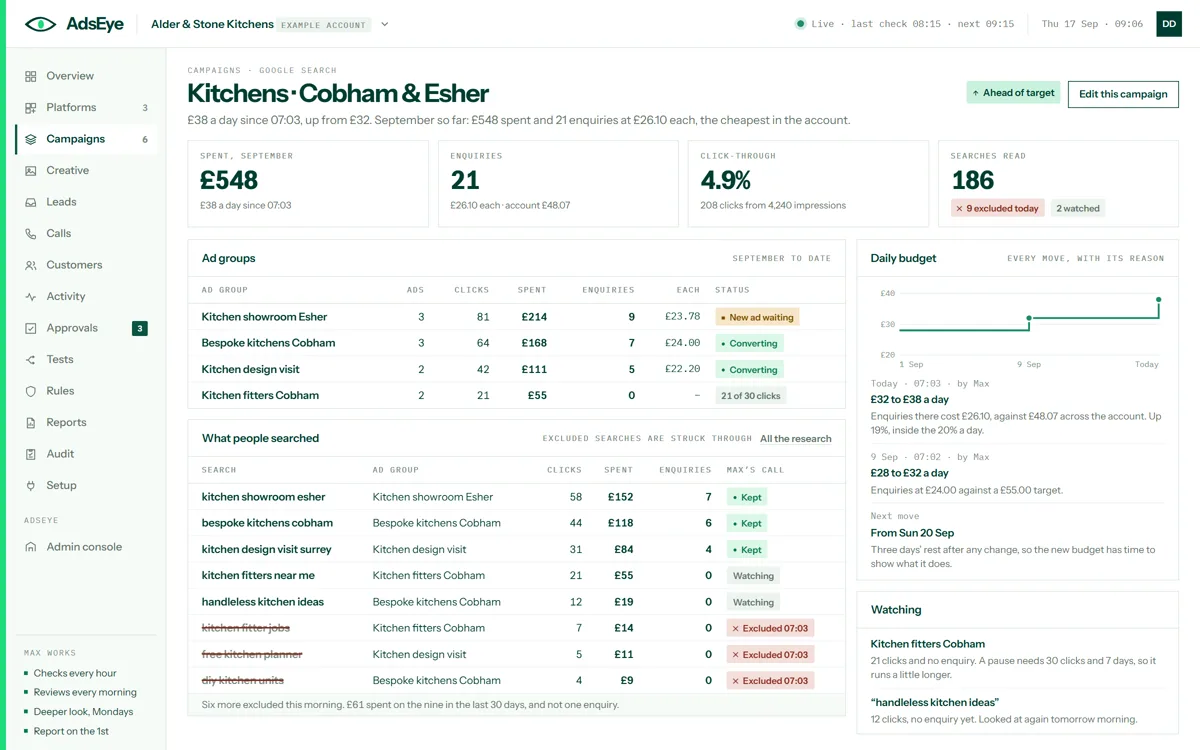
One campaign’s screen: its ad groups and ads with spend, clicks and enquiries, its budget history and what Max is watching
The campaignOne campaign’s ad groups, ads, searches and history in one place. You read what is working and what Max is watching, then open the editor if you want to change something yourself.
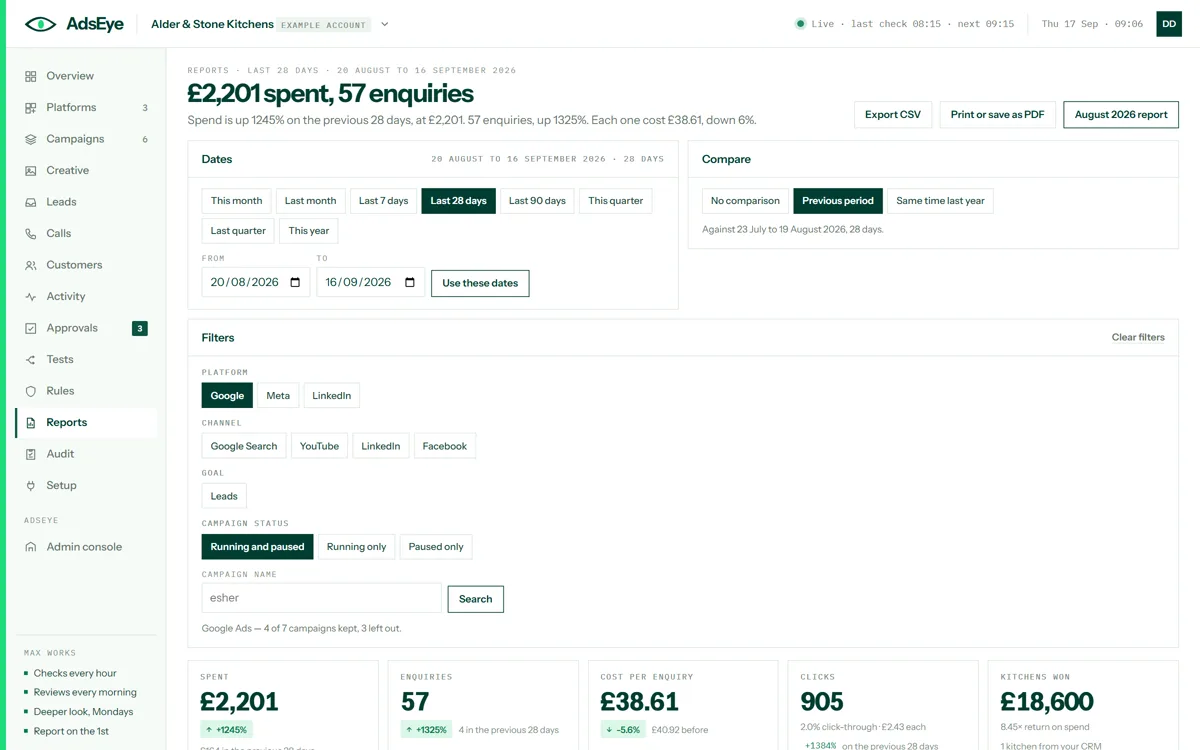
The reports explorer: the last 28 days compared with the previous period, filtered to Google campaigns with Esher in the name, with spend, enquiries and cost per enquiry
The explorerAny range, compared with the period before or the same time last year, filtered by platform, channel, goal, status or name, broken down eight ways. Every view is a link you can send, and a CSV is one click.
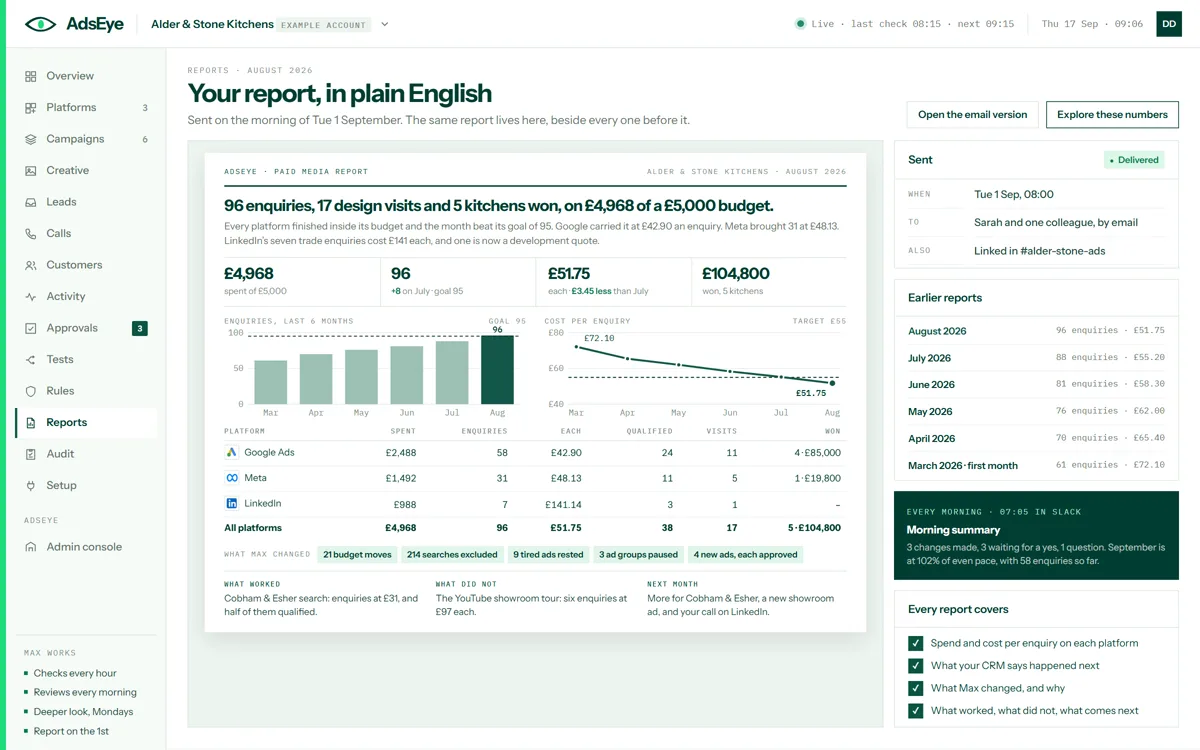
The monthly report for August: spend, enquiries and cost per enquiry against target, a table per platform, what Max changed, what worked, what did not and what comes next
The report on the 1stWhat it cost, what it brought in, what your CRM says happened next, what Max changed and why, and what comes next. Sent by email on the morning of the 1st and kept here beside every report before it.
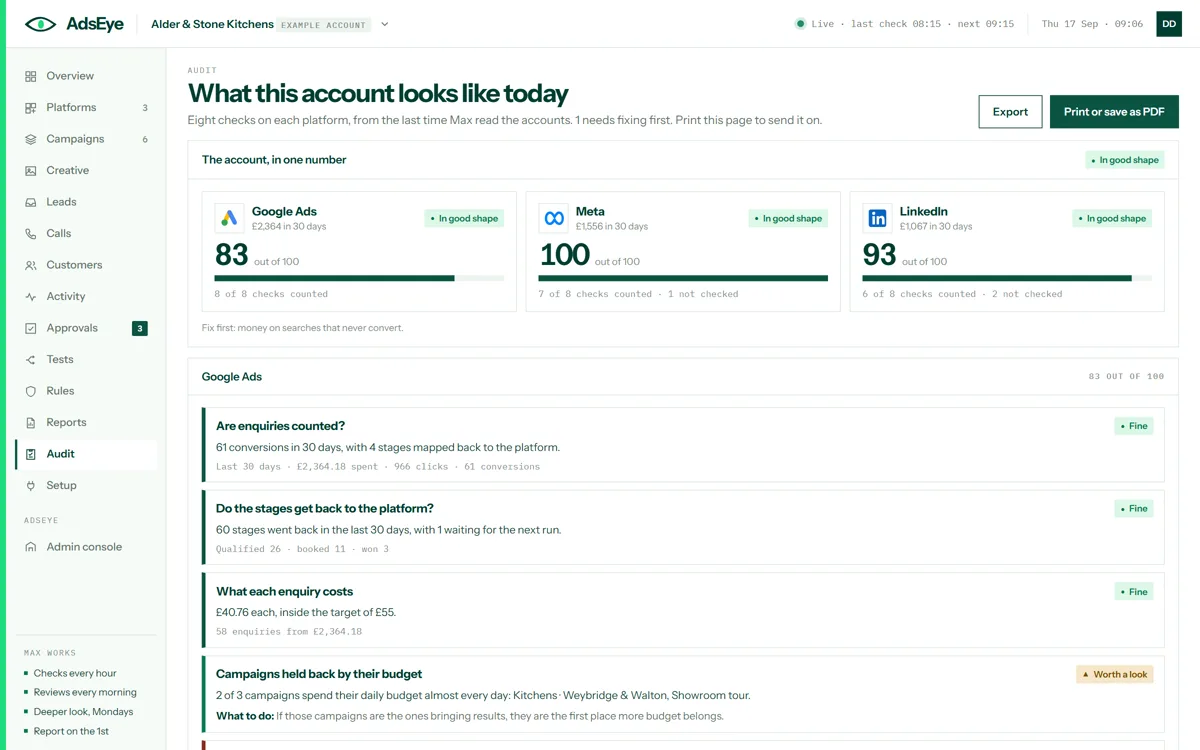
The audit screen: Google Ads, Meta and LinkedIn each scored out of 100 from eight checks, with what was found, what to do and what was not checked
The auditEight checks on each platform from the numbers Max last read, conversion tracking first and counted double. Each is Fine, Worth a look, Needs fixing or Not checked, with what to do. It runs before Max is live, so it is the first thing a new account gets.
Deciding

Small moves alone. Everything else asks.

The review each morning, the changes that wait for a yes, the rules that decide which is which, and the editor for the changes you make yourself.
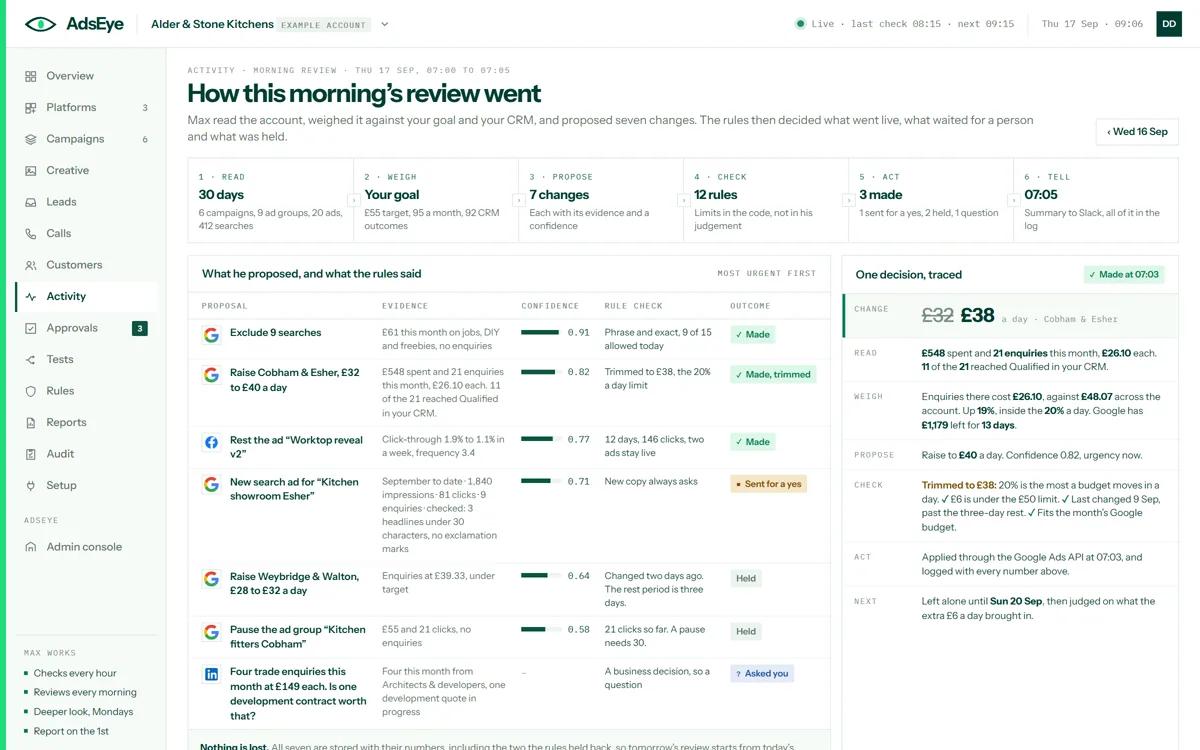
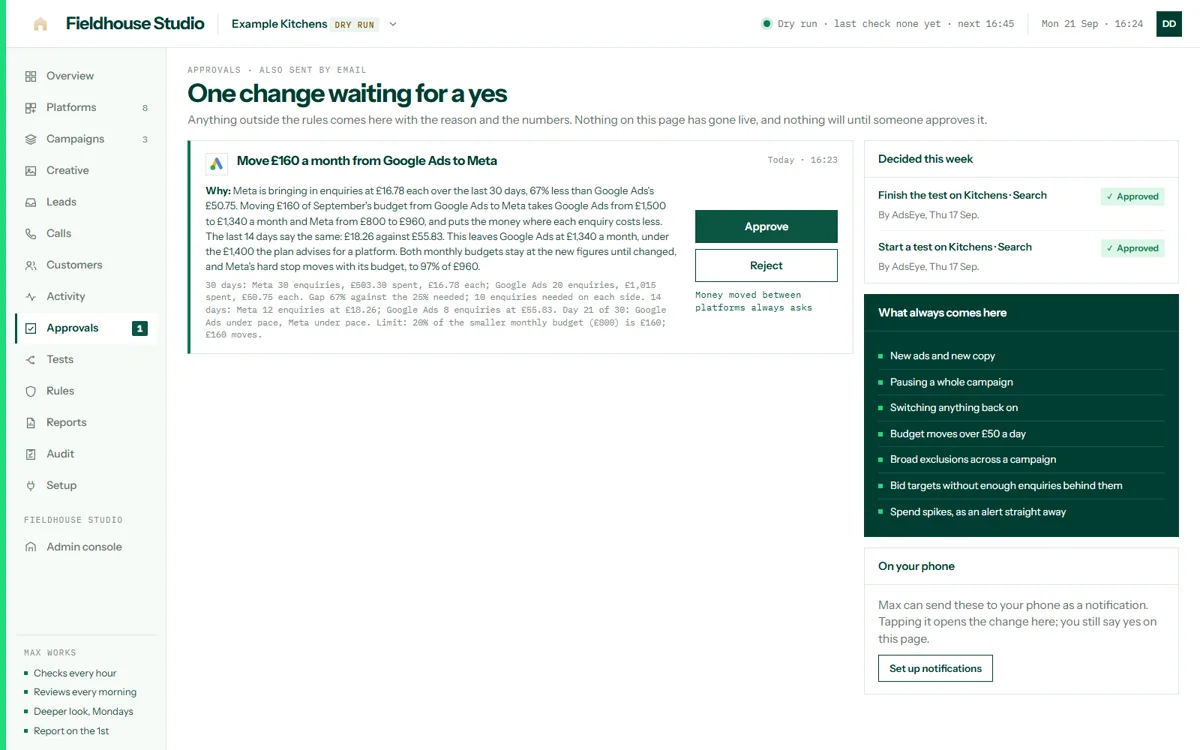
The daily review screen: read, weigh, propose, check, act and tell, seven proposals with their evidence, confidence, rule check and outcome, and one decision traced
The daily reviewRead, weigh, propose, check, act, tell. Every proposal with its evidence, its confidence, the rule that checked it and what happened. You read it in a minute; one decision is traced step by step so you can see how he thinks.
The approvals screen: three changes waiting for a yes, each with the reason, the numbers and a mock-up of the ad, with approve, edit and reject buttons
ApprovalsAnything outside the rules waits here with the reason, the numbers and, for a new ad, a mock-up. You approve, edit the copy and approve, or reject. Nothing on this page has gone live, and nothing will until someone says yes.
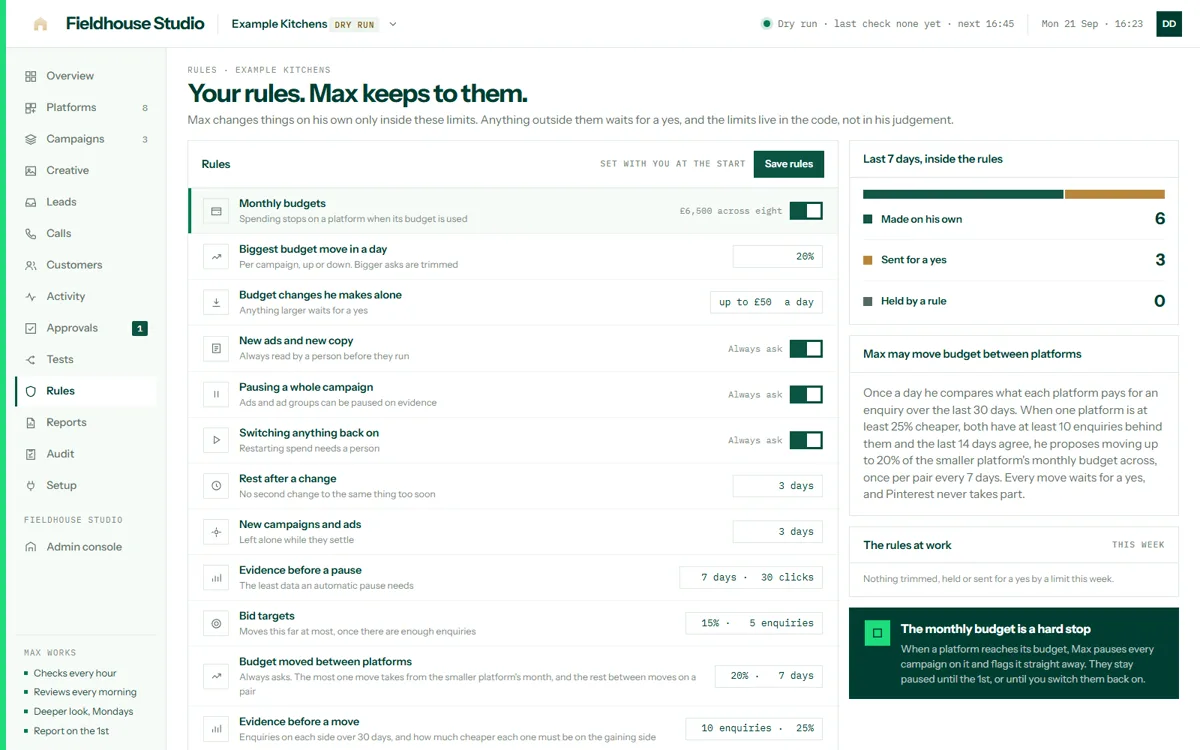
The rules screen: the limits Max works within, what always asks, the hard stop at the monthly budget, and the last seven days inside the rules
RulesHow far a budget may move in a day, how long a change rests, how much evidence a pause needs, and what always asks. The limits live in the code, not in his judgement. You can make them stricter; only the AdsEye team can loosen them.
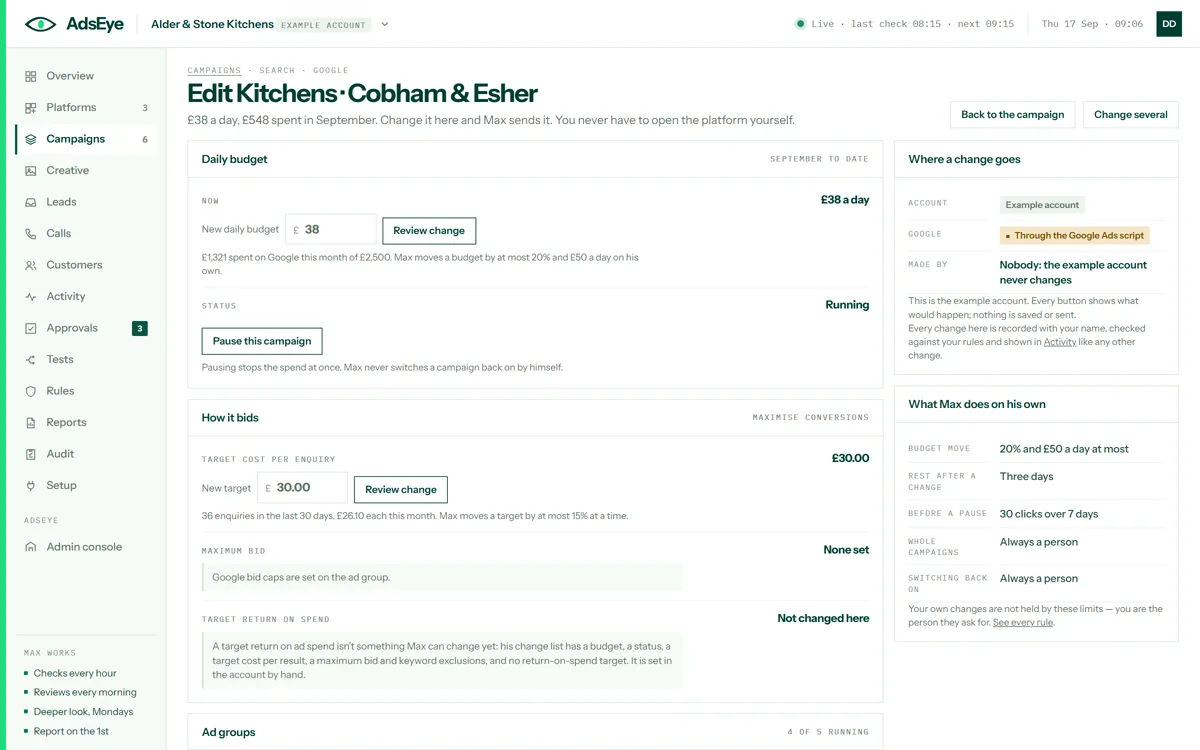
The campaign editor: daily budget, status, target cost per enquiry and bid caps with review buttons, and a panel showing where a change goes and what Max does on his own
The campaign editorBudgets, targets, bid caps, exclusions and pauses, changed here and sent by Max. You never have to open the platform yourself, and your own changes are not held by his limits, because you are the person they ask for.
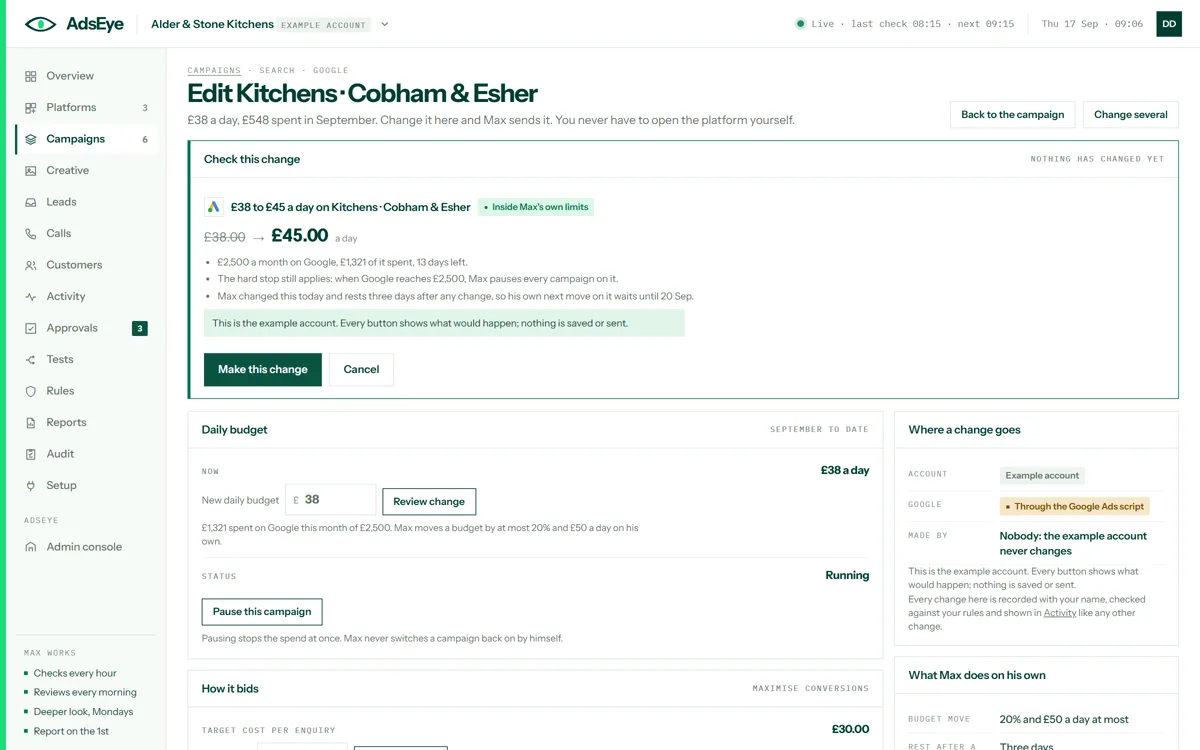
The editor’s review step: £38 to £45 a day on a campaign, what that means for the month, the hard stop still applying, and a Make this change button
Check this changeTwo steps, always: the review says exactly what will change, what it means for the month and where the hard stop still applies, and nothing has changed yet. One press makes it, logged with your name.
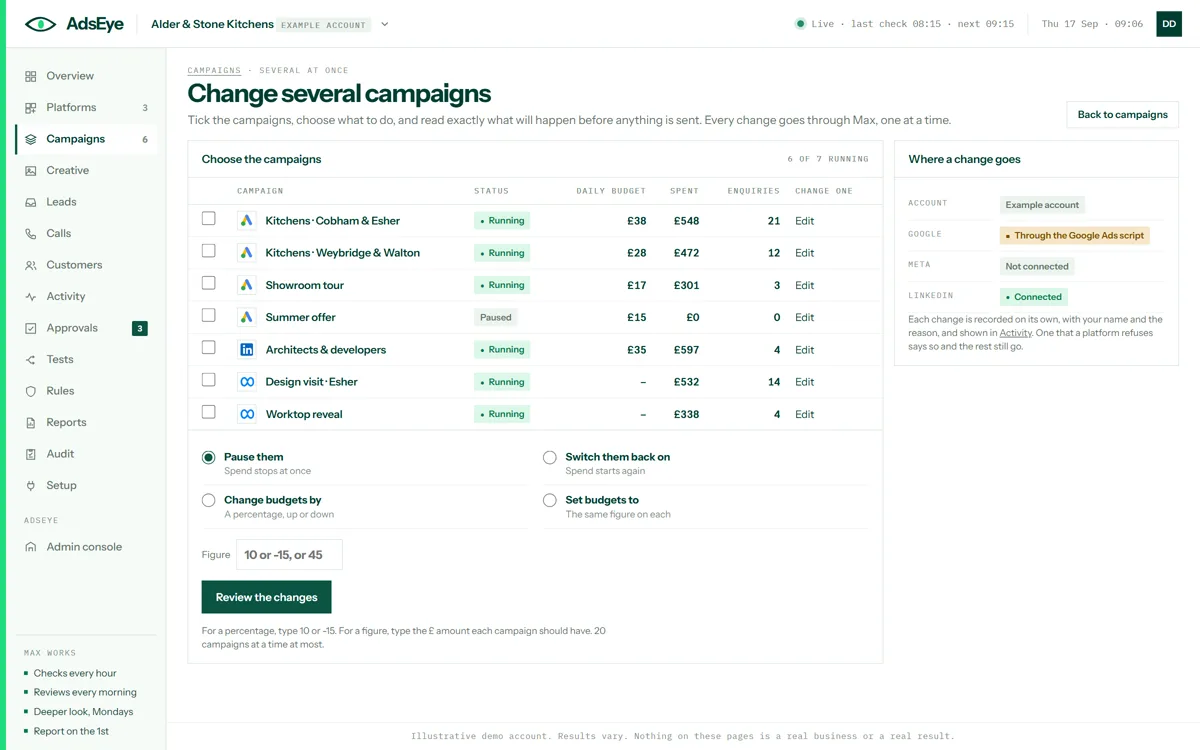
The change-several screen: every campaign across the platforms with a tick box each, and four operations: pause, switch back on, change budgets by a percentage, set budgets to a figure
Change several at onceTick the campaigns, choose to pause them, switch them back on, or move their budgets by a percentage or to a figure, and read exactly what will happen before anything is sent. Every change goes through Max, one at a time.
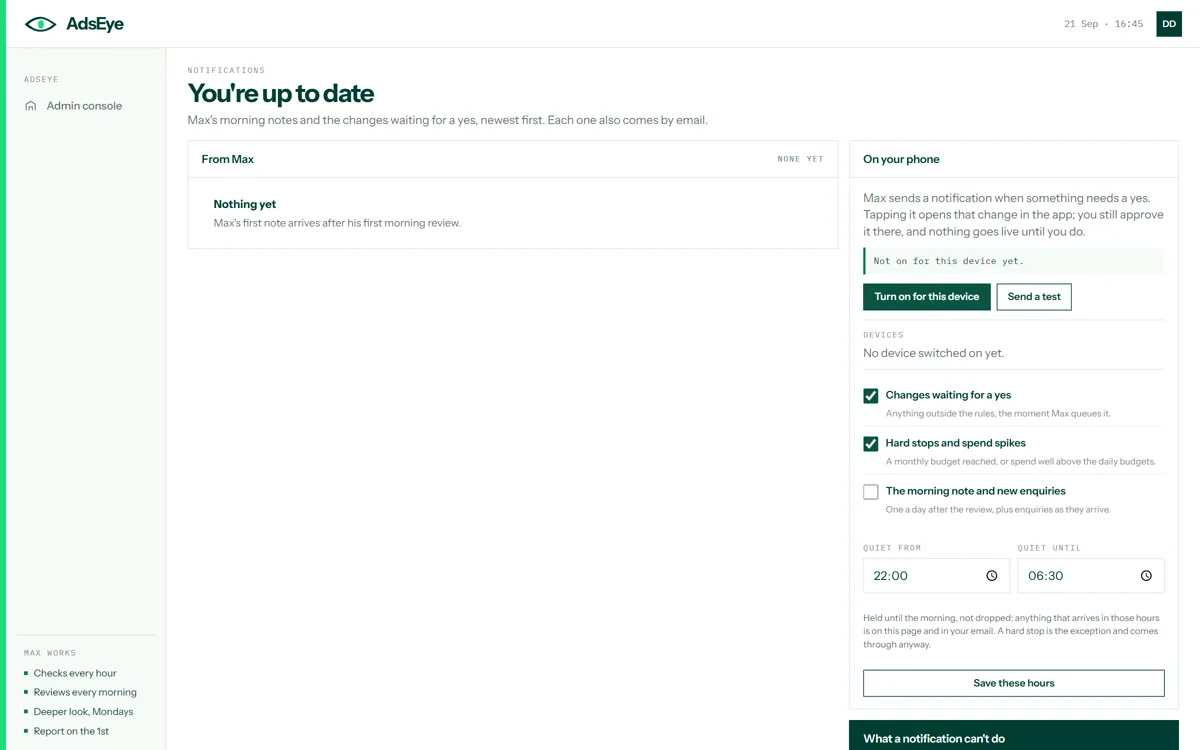
The notifications screen: the morning note and approvals as a list, and the On your phone panel for switching a device on, with quiet hours and what to be told about
Notifications, and your phoneMax’s note after every review, and a notification on your phone when something needs a yes. Tapping it opens the change in the app; you still say yes there, and nothing is ever decided from a lock screen. Quiet hours hold the rest; a hard stop comes through anyway.
Making ads

Pictures, video and copy, and a yes before any of it runs.

Every picture and every video waits for approval. Every claim in a headline is checked. Every batch is one yes, and every ad in it is still its own change.
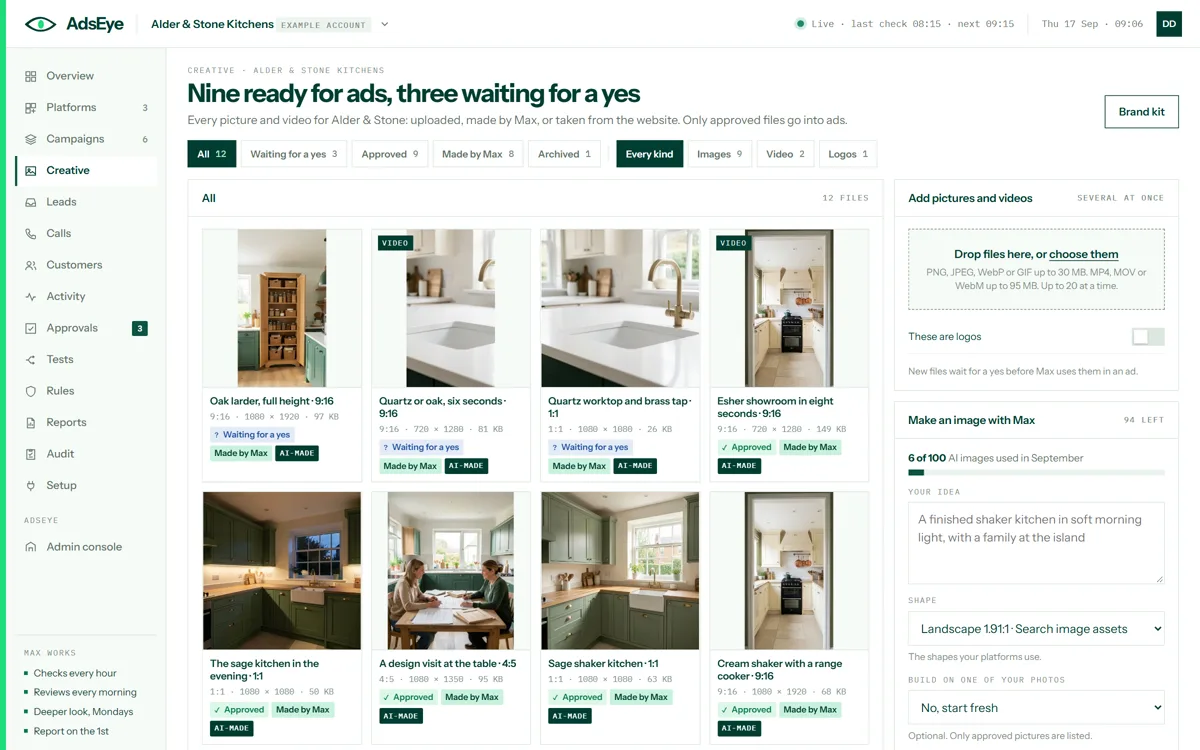
The creative library: twelve files, pictures and video, each marked approved or waiting for a yes, with a drop zone for uploads and a panel for making an image with Max
The creative libraryEvery picture and video for the brand: uploaded, made by Max or taken from the website, each approved or waiting for a yes. You drop files in, ask Max for a picture in the shape a placement needs, and approve what may go into an ad.
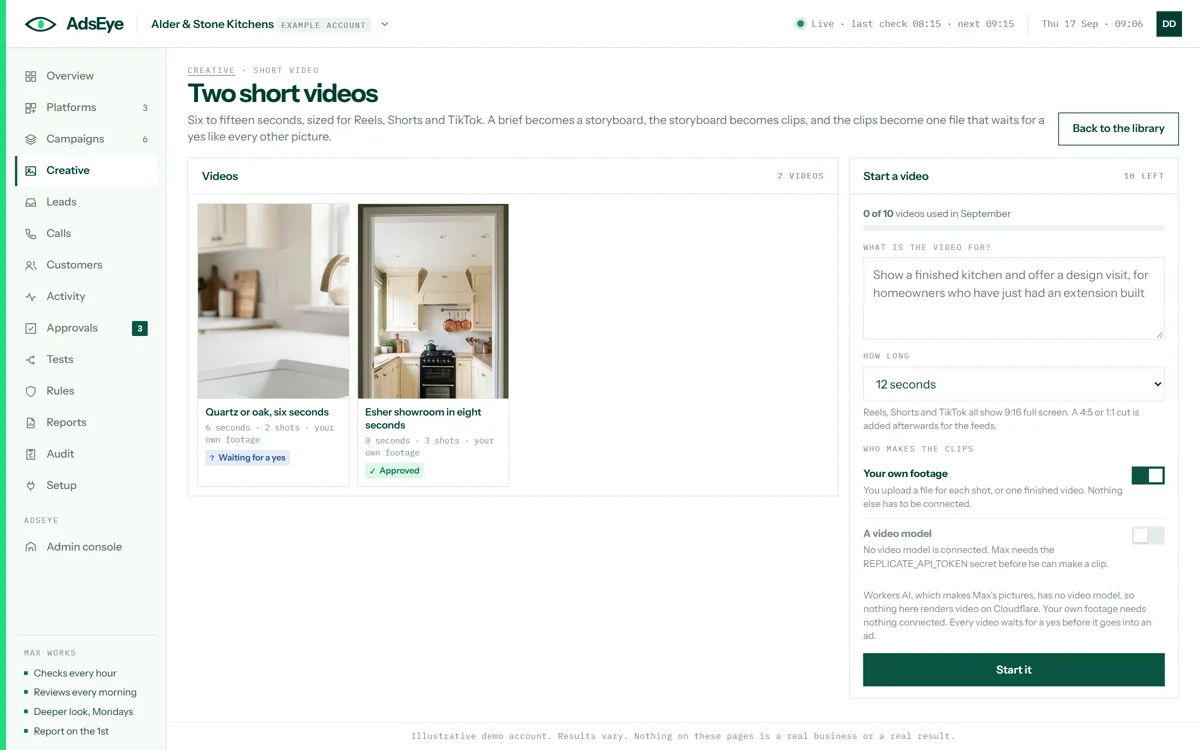
The short video screen: two videos, one approved and one waiting for a yes, and a form to start a new one from a brief with a length and who makes the clips
Short videoSix to fifteen seconds for Reels, Shorts and TikTok. A brief becomes a storyboard, the storyboard becomes clips from your own footage or a model, and the clips become one file that waits for a yes like every other picture.
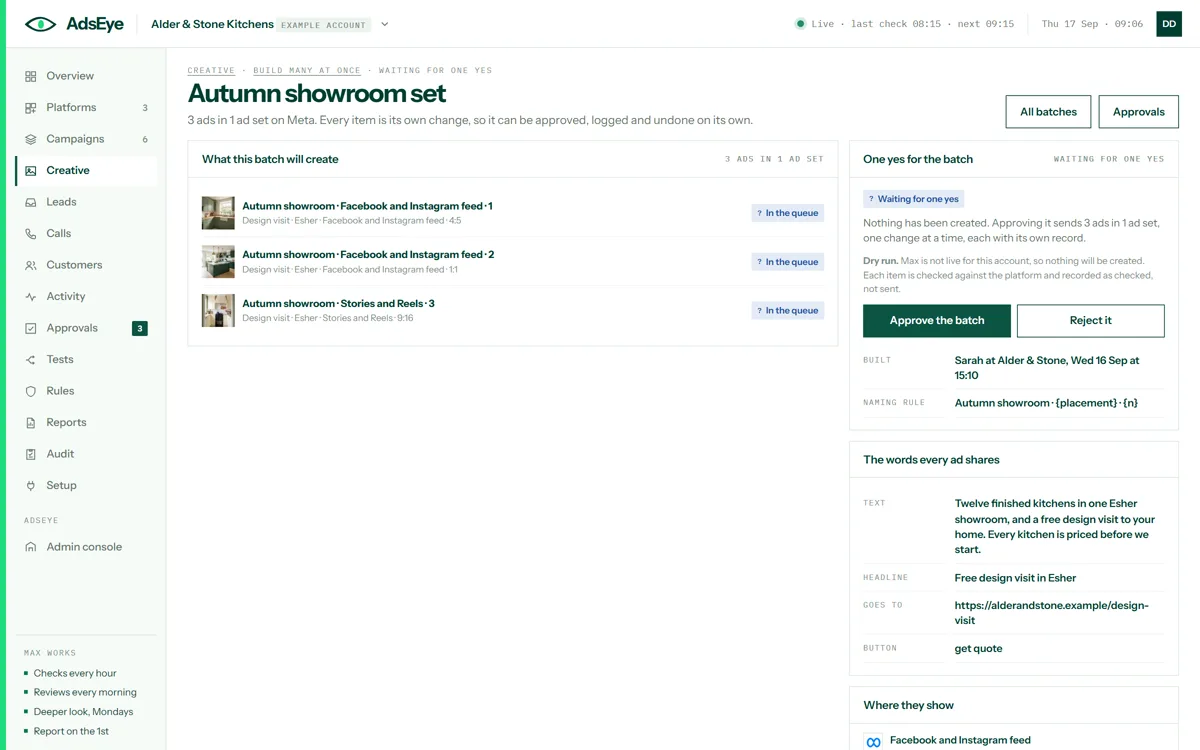
A batch of three ads waiting for one yes: each picture with its placement and shape, the naming rule, the words every ad shares, and approve and reject buttons
Build many at onceUpload a folder of pictures, name them by a rule, and queue a set of ads to go out together. One yes covers the batch, and every ad in it is still approved, logged and reversible on its own.
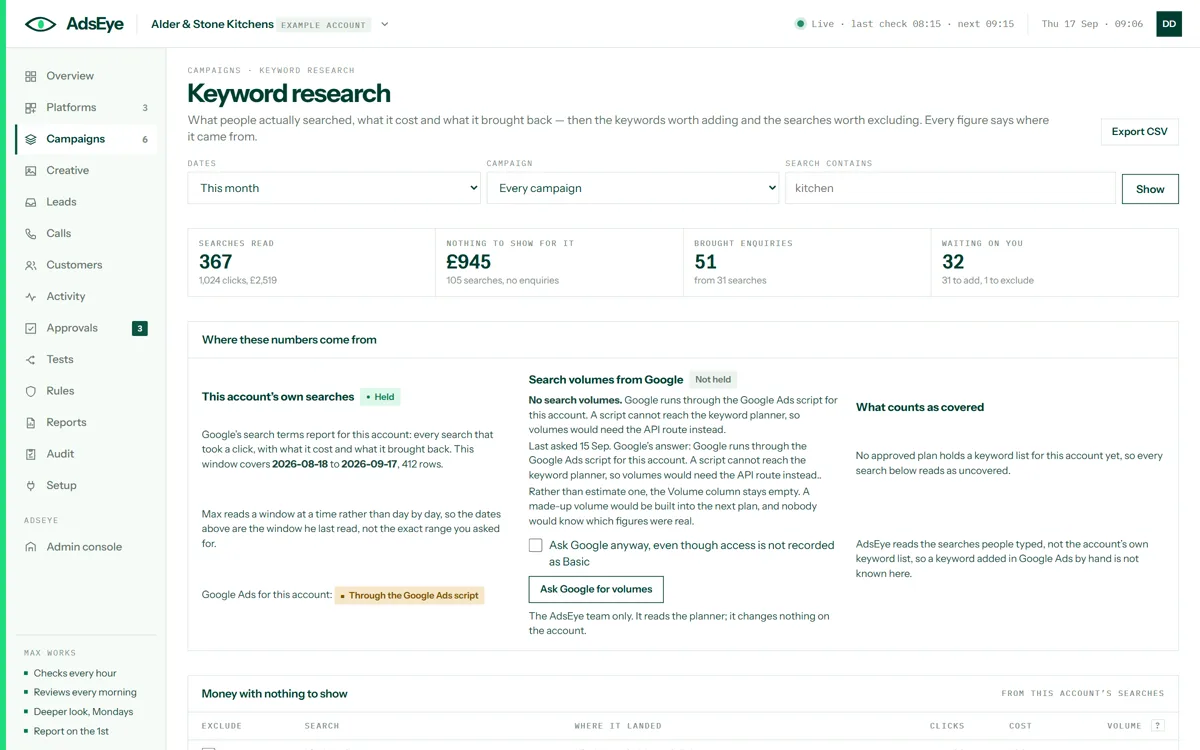
The keyword research screen: searches read, money with nothing to show, searches that brought enquiries, what is waiting on you, and where each number comes from
Keyword researchWhat people actually searched, what it cost and what it brought back; then the keywords worth adding and the searches worth excluding. Every figure says where it came from, and search volumes are left blank rather than guessed.
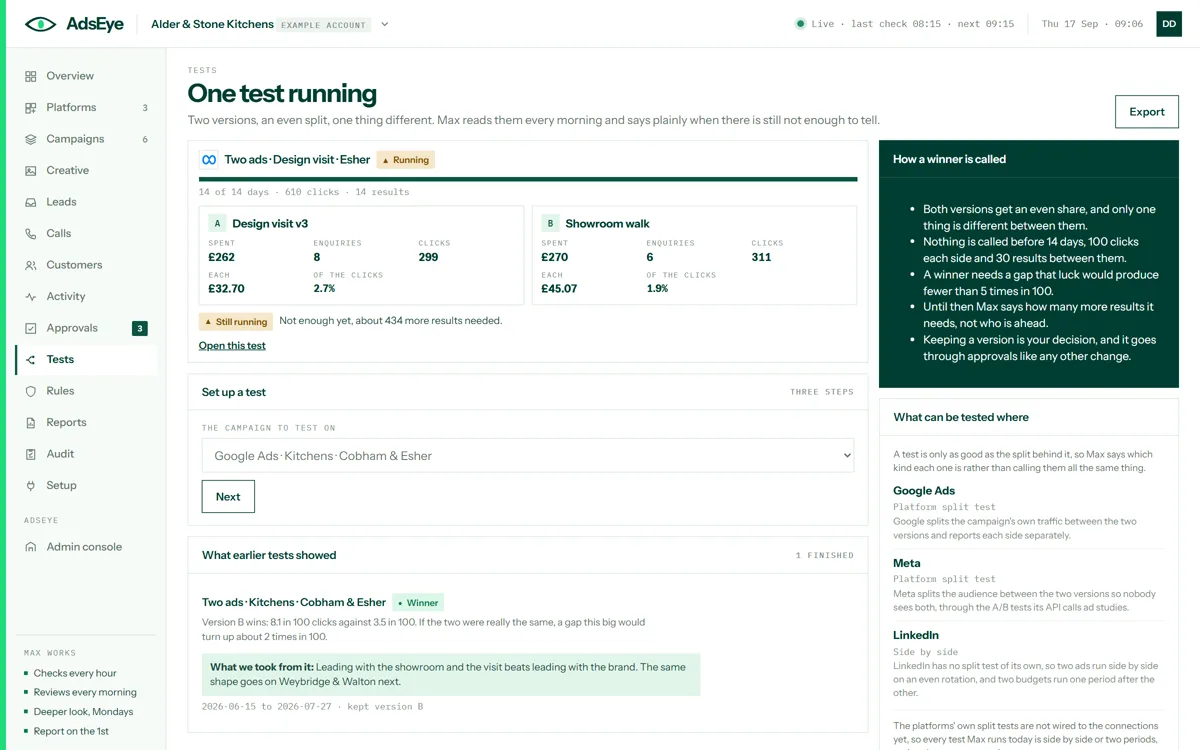
The tests screen: one running test of two ads with its clicks, results and cost per enquiry on each side, and a finished test with a winner and what was learned
Tests with a winnerTwo versions, an even split, one thing different. Max reads the test every morning and says plainly when there is not enough to tell. When a winner is called, keeping it is your decision, and it goes through approvals like any other change.
Counting results

Every enquiry, followed to the end.

Enquiries from forms, lead forms and calls, tied to the ad that brought them, and the ones that become customers sent back to the platform.
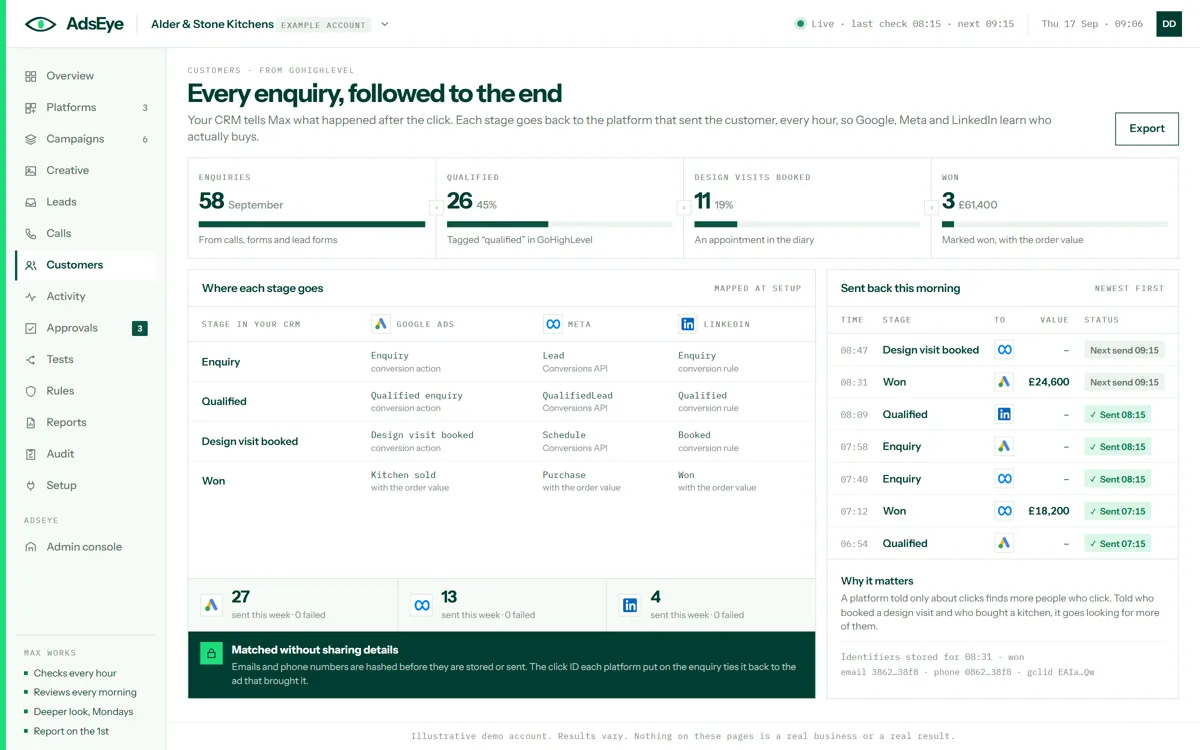
The customers screen: enquiries, qualified, booked and won, where each stage goes on Google, Meta and LinkedIn, and the stages sent back this morning
CustomersEach stage from your CRM and where it goes on each platform: a conversion action on Google, a Conversions API event on Meta, a conversion rule on LinkedIn. Emails and phone numbers are hashed before they are stored or sent.
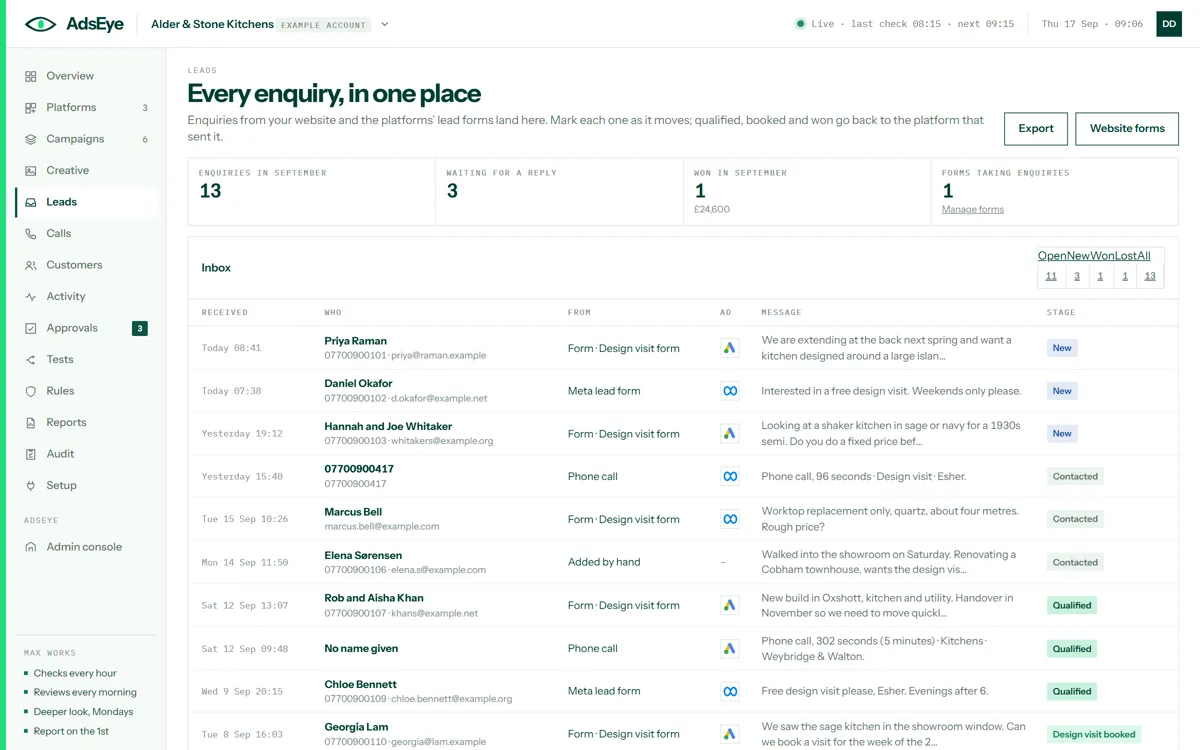
The lead inbox: thirteen enquiries from the website form, a Meta lead form, phone calls and one added by hand, each with who, where from, which ad, the message and its stage
The lead inboxFor businesses without a CRM, or alongside one. Website forms, the platforms’ lead forms and counted calls land here with the ad that brought them. You mark each one as it moves; qualified, booked and won go back to the platform that sent it.
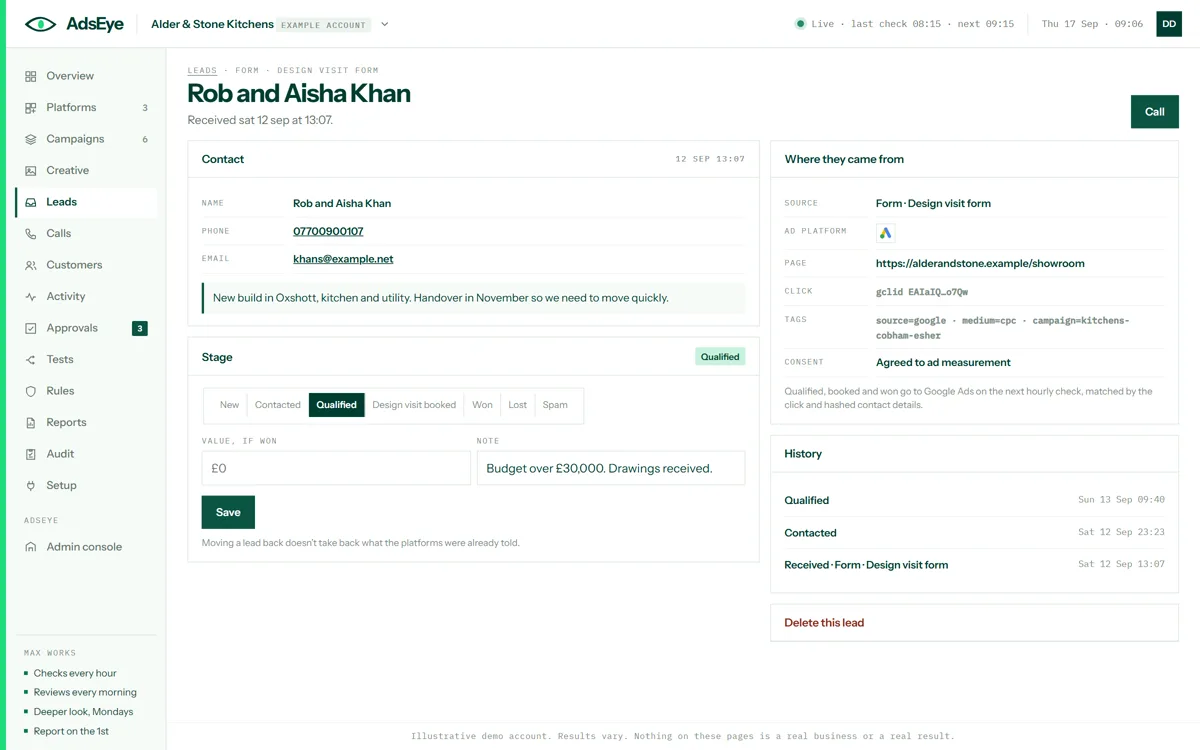
One lead: the contact details and message, where they came from with the page, the click ID and the tags, consent, the stage with a value and a note, and the history
One leadWho they are, what they said, the page they came from, the click that brought them and whether they agreed to ad measurement. You move the stage, add a value when it is won, and the history keeps every step.
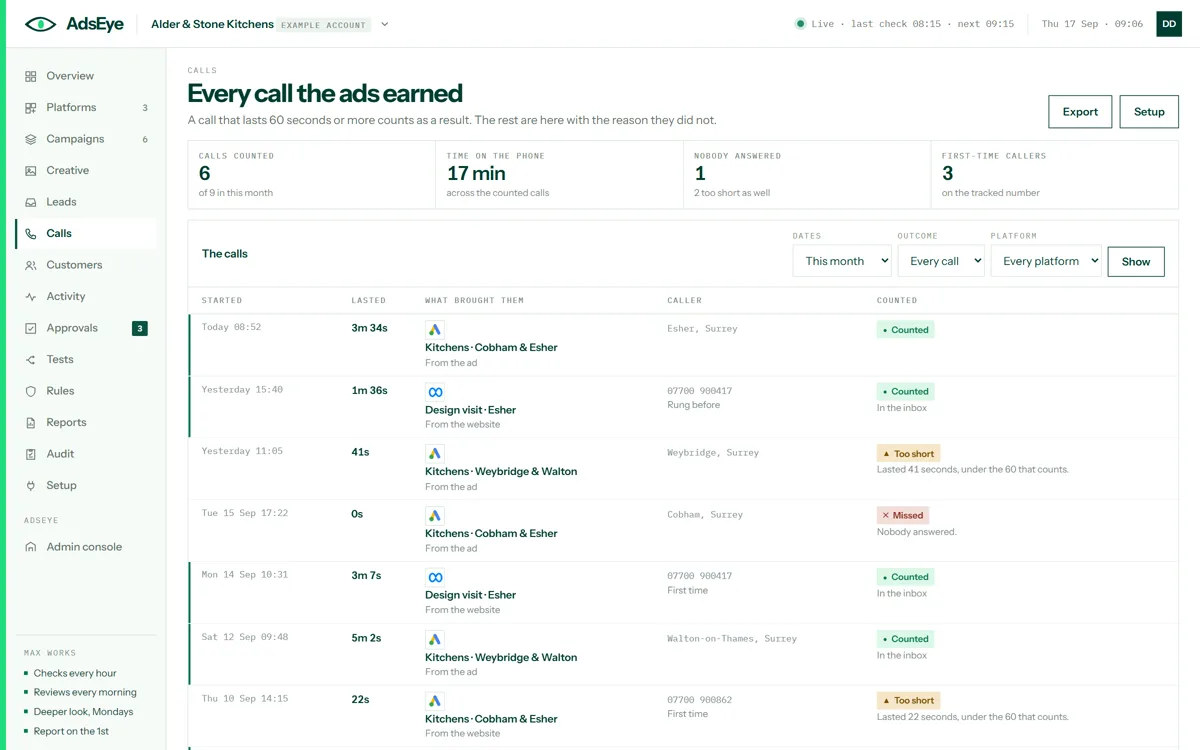
The calls screen: nine calls this month with when they started, how long they lasted, which ad brought them, the caller, and whether each was counted, too short or missed
Calls countedA call that lasts 60 seconds or more counts as a result and lands in the inbox with the campaign that earned it. The rest are here with the reason they did not, and a tracked number shows who rang before.
Running it for others

One workspace, ten brands, and the switches behind them.

Keys for your own systems, a connector for your AI assistant, expert support with credits, billing by the brand, and the console where every feature and every platform is switched on or held.
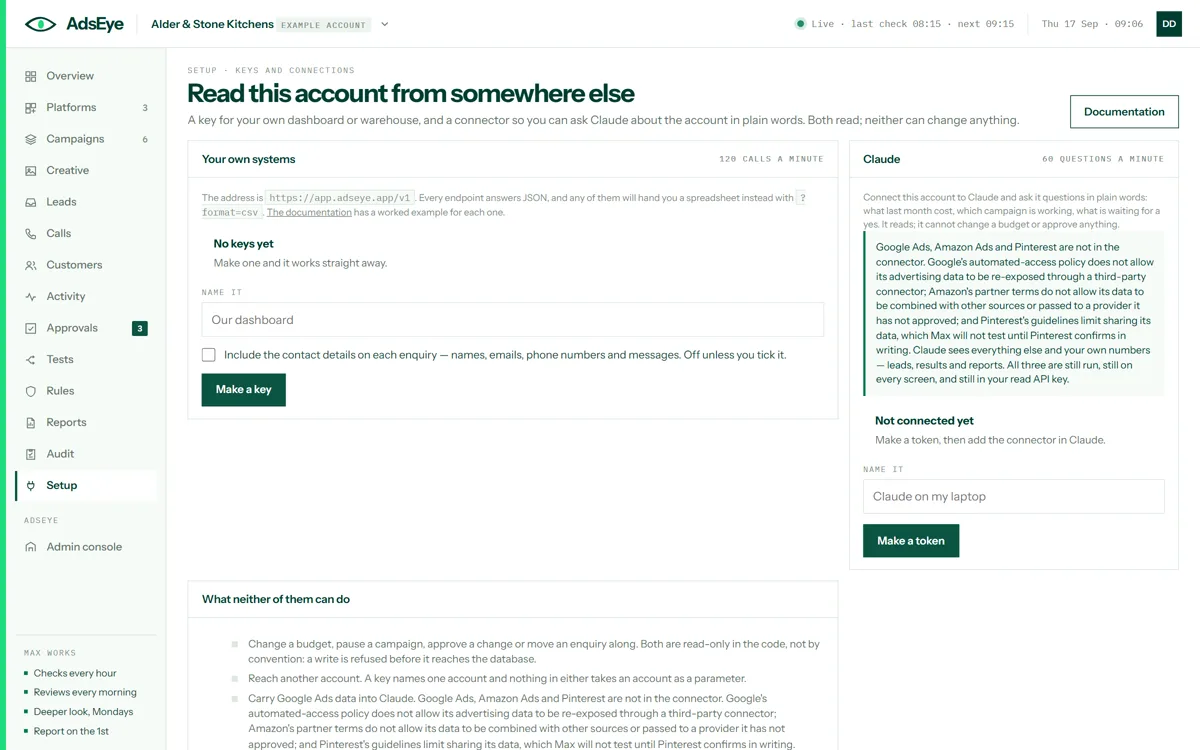
The keys and connections screen: a key for your own dashboard, a token for your AI assistant, and what neither of them can do
Keys and connectionsA key so your own dashboard or warehouse can read the numbers, and a token so you can ask your AI assistant about the account in plain words. Both read; neither can change a budget, approve a change or reach another account.
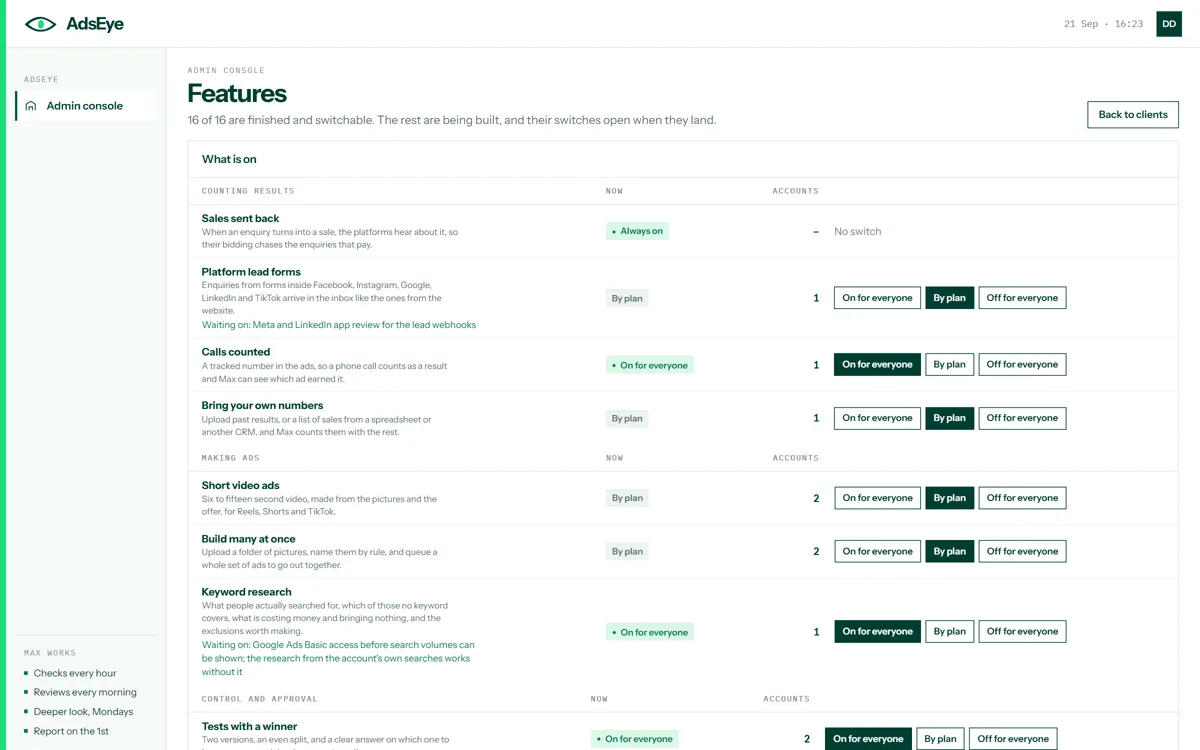
The features console: every capability with what it is in a customer’s words, whether it is on for everyone, by plan or off, how many accounts have it, and what it is waiting on
The switch roomEvery feature, in a customer’s words, with what it is waiting on and a switch: on for everyone, by plan, or off. A feature still being built cannot be opened by accident. The same page shows where each platform stands.
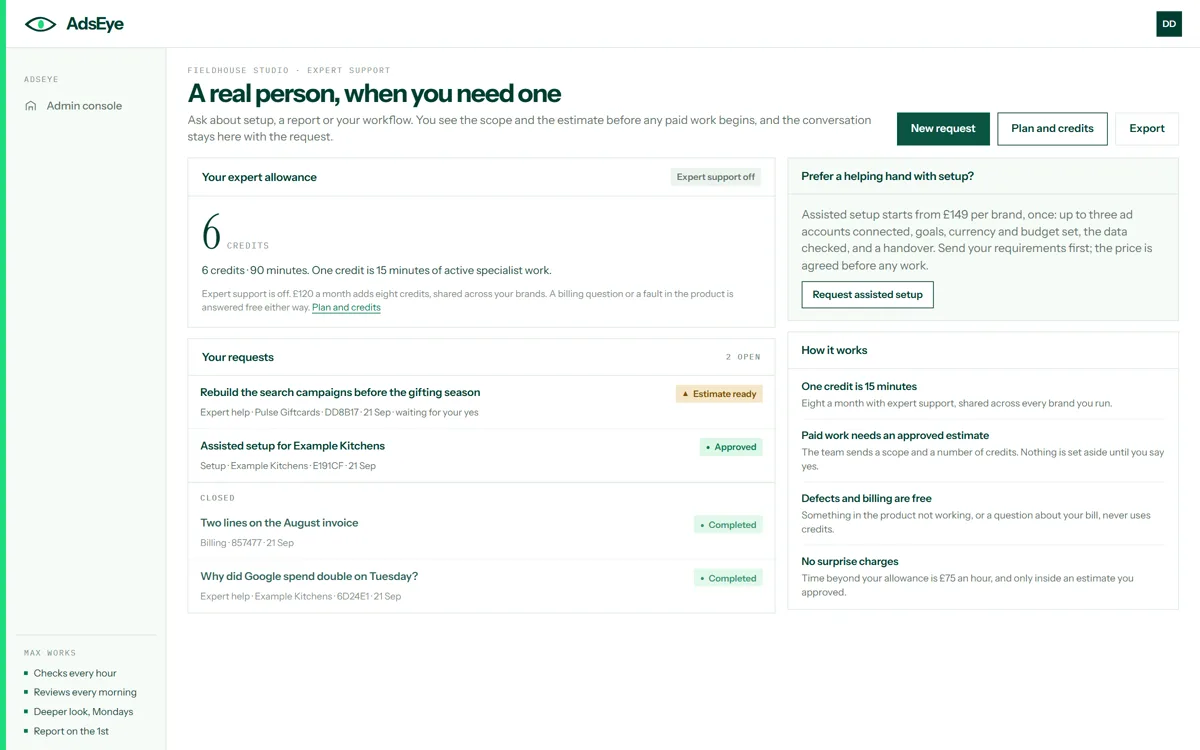
The expert support screen: the credit allowance, open requests with an estimate ready and one approved, closed requests, and how credits work
Expert supportAsk about setup, a report or your workflow. You see the scope and the estimate before any paid work begins, the conversation stays with the request, and a fault in the product or a billing question never uses a credit.
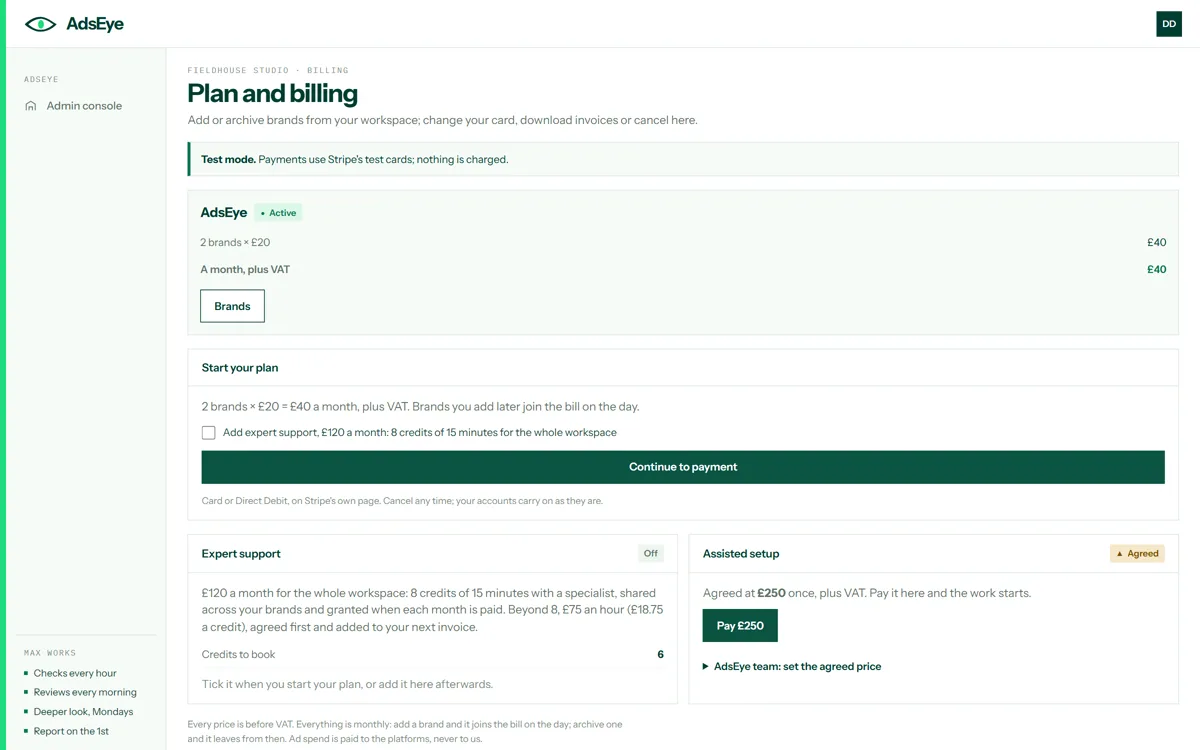
The plan and billing screen: two brands at £20 a month, expert support as an option, assisted setup at an agreed price, and the note that ad spend is paid to the platforms
Plan and billingBrands at £20 a month each, expert support as an option, assisted setup at a price agreed first. Add a brand and it joins the bill on the day; archive one and it leaves. Ad spend is paid to the platforms, never to us.
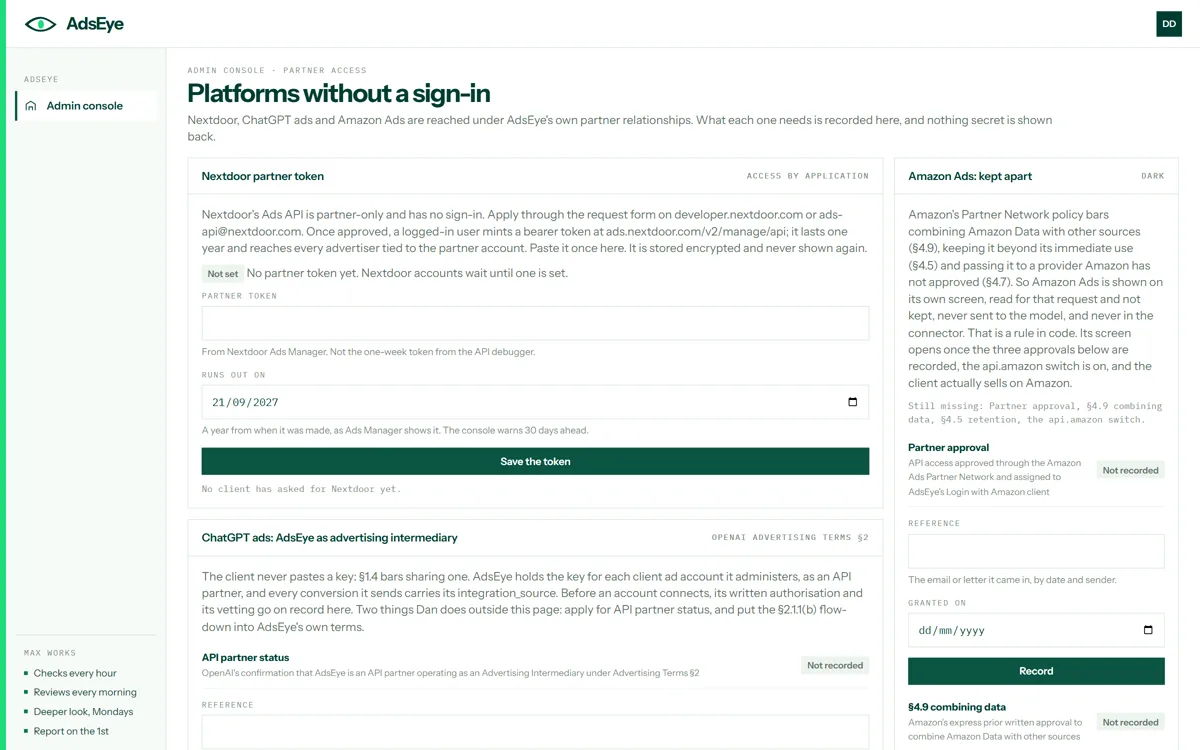
The partner access console: the platforms without a sign-in, each with what its approval needs and whether it has been recorded
Platforms without a sign-inNextdoor, ChatGPT ads and Amazon Ads each wait on the platform’s own partner approval. What each one needs is recorded here, nothing secret is shown back, and a channel opens only when its approvals are on record.
On your phone

Built for a phone first, then the desk.

Every screen fits a phone. The three you will open most, as they look at 390 pixels wide.
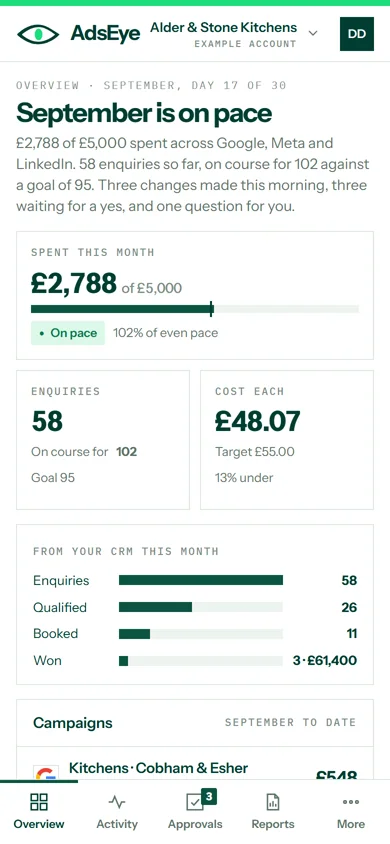
The overview on a phone: September is on pace, spent this month, enquiries and cost each, the CRM stages and the campaigns
OverviewThe month at a glance, with the tab bar for approvals, activity and reports.
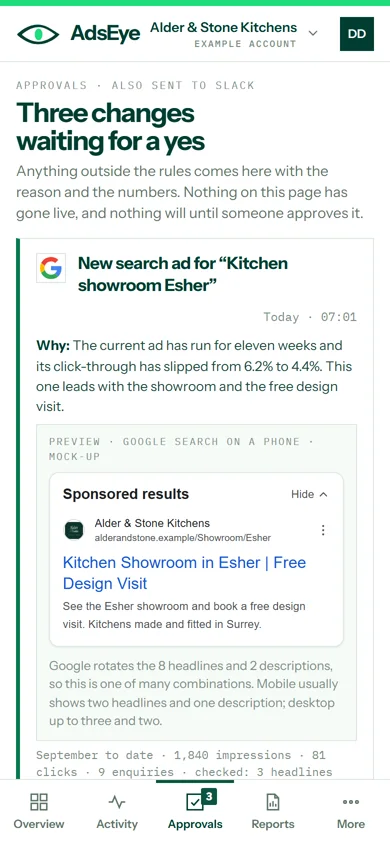
Approvals on a phone: three changes waiting for a yes, each with its reason and approve, edit and reject buttons
ApprovalsThe reason, the numbers and the buttons, sized for a thumb.
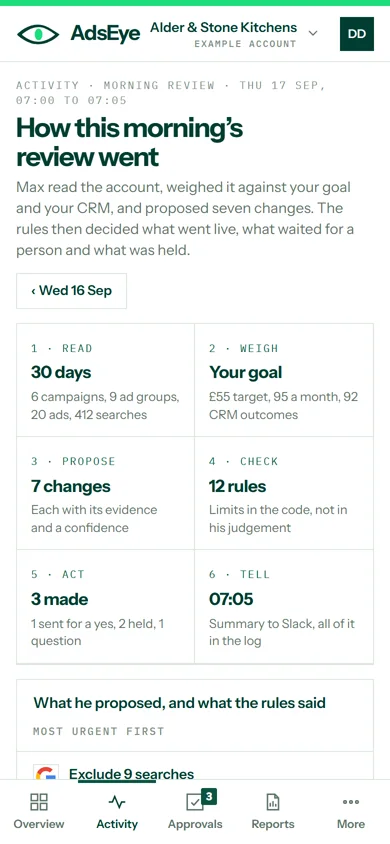
The daily review on a phone: the six steps and each proposal as a card with its evidence and outcome
The daily reviewEach proposal as a card, with its evidence and what the rules said.

See it with your own numbers.

Seven days free, card first, nothing charged until day 8. Max reads the account, runs the audit and shows every change he would make before he makes any.

Want to try these screens yourself? The example account is open.

Ask Max. I’m the AI ads specialist inside AdsEye. A next step from here: